RollXO mobile casino and app options
 Available in AU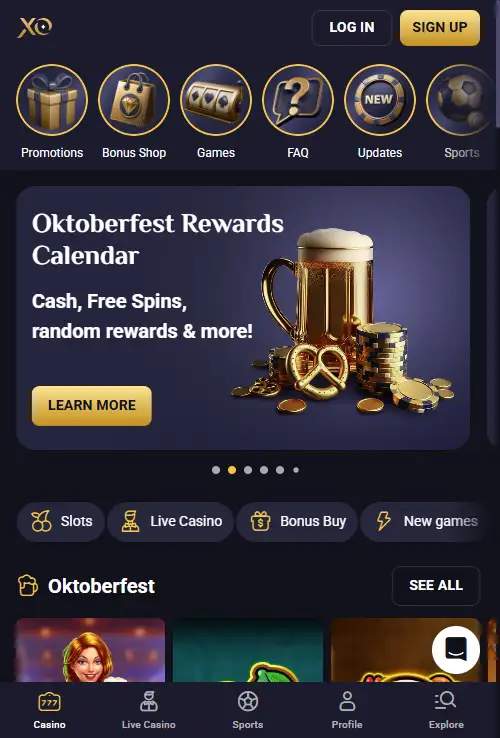
Mobile access in Australia
RollXO supports mobile play and currently promotes app access for both iOS and Android on its own website. That confirms an official RollXO mobile installation route is being advertised, but it does not by itself prove that a public Apple App Store or Google Play listing exists. Australian users can also use the browser-based casino on a phone or tablet, including the casino lobby and live casino sections. The practical distinction is simple: browser play is the lowest-assumption route, while any installed option should be taken only from RollXO’s current official site rather than from an unrelated download page or an unverified package.
Table of Contents
- What is actually verified about the RollXO app
- Browser play versus an installed experience
- What you can do on a phone
- iPhone and iPad: what not to assume
- Android: avoid the APK assumption
- Mobile login and account continuity
- How the casino lobby behaves on a smaller screen
- Mobile payments and verification deserve a full-screen check
- A practical mobile checklist for Australian users
- How RollXO works on mobile without assuming an app-store listing
What is actually verified about the RollXO app
RollXO’s current site displays calls to get or install its app for iOS and Android, and several current pages promote a RollXO Mobile App with the promise of direct access to the service. That is solid evidence that the brand promotes an installed mobile experience alongside its website. It is not the same thing as independently confirming a listing in Apple’s or Google’s public stores.
This distinction matters because casino brands use several mobile delivery models. A button on the operator’s website can lead to a web-app install, a device-specific installation flow or another official distribution route. Unless a current store listing can be opened and matched to the same operator, reader and app identity, it is safer to describe the product as an official-site app or install option rather than an App Store or Google Play app.
For Australian users, the useful rule is to start from RollXO’s current site. Do not search for random APK mirrors, third-party download portals or files sent through forums and messages. The site itself is the relevant source for whatever installation method RollXO is offering at the time.
Browser play versus an installed experience
| Access route | What it means | What to check |
|---|---|---|
| Mobile browser | Open RollXO directly in Safari, Chrome or another modern browser | Correct URL, secure connection, responsive lobby and login |
| Official-site install | Use the install option promoted by RollXO itself | Follow only the current instructions on the official site |
| Public app store | A listing hosted by Apple or Google | Do not assume one exists unless a current listing is independently verified |
| Third-party APK or file | A package obtained away from RollXO’s own site | Avoid unverified sources and do not sideload unknown packages |
In everyday use, the difference may be smaller than the labels suggest. Browser-based casino platforms can save login state, remember regional preferences and present a near full-screen experience on a phone. An installed shortcut can mainly improve convenience by putting RollXO on the home screen and reducing the steps needed to reopen it.
The deciding factor should be whether the route is trustworthy and useful on your device, not whether it carries an “app” label. If the browser version already gives you the lobby, cashier, account area and support tools you need, there is no need to install anything simply for the sake of having an icon.
What you can do on a phone
RollXO’s mobile experience is designed around the same core account rather than a separate mobile account. That means the important mobile tasks are familiar: sign in, browse casino categories, open live casino, move between promotions, reach payment tools and manage account settings. The live casino is available as part of the wider RollXO product, although individual games can still be subject to provider and location restrictions.
For game browsing, screen space changes how you use the catalogue. On desktop you can scan more titles at once, while on mobile the quality of category controls and search matters more. The games guide explains the broader catalogue and the Australian provider restrictions that can change what appears in the lobby.
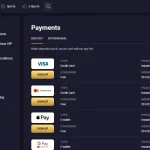
Cashier tasks also deserve a separate check on a smaller screen. Before depositing, make sure you can see the selected currency, payment method, amount and any relevant conditions without relying on truncated labels. The payments guide covers RollXO’s broader funding and withdrawal context, including AUD support.
iPhone and iPad: what not to assume
RollXO currently promotes an iOS app route on its own pages. That is enough to say the brand provides or promotes an iOS installation option, but it is not enough to call it a verified Apple App Store listing. A genuine store claim should be supported by a current Apple listing showing the app name, reader and availability.
If you use an iPhone or iPad, the browser route remains straightforward: open the current RollXO site in Safari, sign in and use the mobile layout. If RollXO presents an installation image description, read the on-screen instructions and keep the installation within the official-site flow. If the process unexpectedly redirects to an unrelated host or asks for device permissions that do not fit the stated purpose, stop and reassess the source.
A home-screen shortcut or progressive web app can feel app-like without being distributed through the App Store. That is why this guide uses “app” and “install option” carefully rather than turning RollXO’s promotional wording into a store-distribution claim.
Android: avoid the APK assumption
RollXO also promotes Android app access. Android can support more installation routes than iOS, which makes it especially important to verify where any app package comes from. The existence of an Android button on RollXO’s site does not justify downloading a package from an APK directory, search-result mirror or file-sharing page.
If RollXO’s current official flow supplies an Android installation method, follow that route only after confirming you are still dealing with the RollXO site and that the file or install instruction is the one it currently provides. Sideloading steps are not provided because package distribution can change and an old instruction can quickly become unsafe or inaccurate.
If you prefer not to install anything, the browser version is the cleaner fallback. It keeps the access method simple and avoids having to judge whether a third-party package is authentic.
Mobile login and account continuity
Your mobile session connects to the same account lifecycle discussed in the account guide. Mobile access does not create a separate set of identity or verification rules. RollXO can require identity verification, and account or payment checks can matter regardless of whether you first signed up on desktop or phone.
That continuity is useful because it lets you move between devices without treating the mobile version as a separate product. It also means that unfinished account issues do not disappear when you switch device. If verification is requested, complete it through the account flow rather than trying to work around it through another browser or installation.
For security, use the same basic discipline on mobile that you would use for online banking: verify the site address before entering credentials, keep the device lock enabled and avoid saving sensitive login details on a shared phone or tablet.
How the casino lobby behaves on a smaller screen
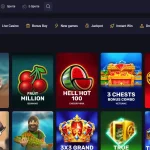
A good mobile casino experience is less about decorative design and more about reducing friction. For RollXO, check whether you can reach Casino, Live Casino and the relevant game categories without repeatedly opening and closing menus. Search and category navigation become especially important because the wider catalogue is large and Australian provider restrictions mean the visible selection can differ from global marketing.
Live casino adds another mobile consideration: video and interaction need more bandwidth and screen space than a simple slot interface. If a table feels cramped or unstable, try portrait versus landscape orientation and compare browser behaviour before assuming the game itself is unavailable. Individual live titles can also differ in their mobile layout.
For longer sessions, battery use, heat and network stability are practical constraints. Those are device and connection issues rather than RollXO account features, but they can matter more to the real experience than whether the platform is opened from an icon or a browser tab.
Mobile payments and verification deserve a full-screen check
Mobile cashier pages can make important transaction information easier to miss simply because there is less room. RollXO supports AUD as an account currency, so Australian users should confirm that the selected account and payment context is the one they intended before submitting a transaction. Payment-method availability can be country-specific.
Verification can also become part of the account lifecycle. RollXO’s current terms allow identity checks, and its privacy policy describes collection of account details and government-issued identification for verification purposes. If you are asked to upload documents from a phone, use the current account interface and make sure the image is readable before submitting it.
The dedicated KYC page covers verification in more detail. On mobile, the key point is that the convenience of a camera does not change the need to use the correct account channel or protect personal documents.
A practical mobile checklist for Australian users
| Check | Why it matters |
|---|---|
| Start from the current RollXO site | Reduces the risk of using an unrelated app or download page |
| Try the browser first | Confirms whether you actually need an installation |
| Treat iOS/Android buttons as official-site install evidence | They do not automatically prove public app-store distribution |
| Confirm AUD and transaction details in the cashier | Small screens can hide context that is obvious on desktop |
| Check game availability after login | Australian provider restrictions can change the visible lobby |
| Use account channels for KYC | Identity documents should not be sent through unofficial routes |
This checklist keeps the mobile decision focused on source, functionality and account continuity rather than marketing labels. It also leaves room for RollXO to change its distribution method without making the page dependent on a single installation process.
How RollXO works on mobile without assuming an app-store listing
RollXO clearly supports mobile use and currently promotes iOS and Android app access, so Australian users have more than a desktop-only experience. The evidence supports browser play and an official-site installation path, but not a blanket claim that RollXO is currently distributed through the public Apple App Store or Google Play. Start with the mobile browser, use only RollXO’s own current install route if you want an installed experience, and keep account, cashier and verification activity inside the same trusted flow. That approach gives you the useful parts of mobile access without relying on an unverified store or APK claim.
For the broader context, see the RollXO Australia review.